Stop building setlists.
Start reading the room.

Don't spend hours agonizing over setlists. SetStar suggests what to play next so you can focus on the crowd — and keeps your whole repertoire sharp between gigs.

One app. Two superpowers.

On Stage

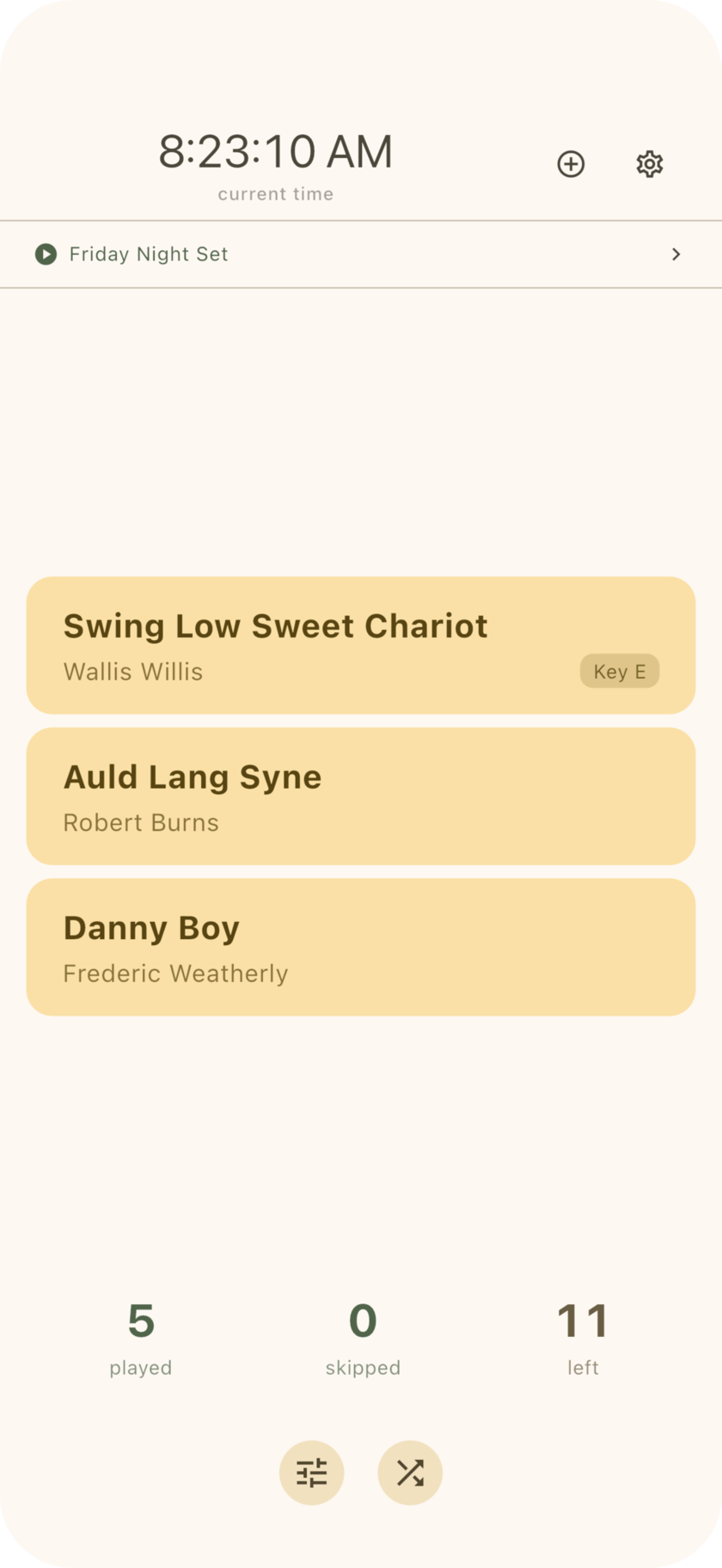
Your setlist builds itself. Three smart suggestions every time you need the next song. Filter by energy and genre to match the vibe. Swipe to skip what doesn't fit. React to the crowd, not a spreadsheet.

In Practice

Surface the songs going stale. SetStar tracks when you last played everything in your library, so nothing falls through the cracks. Keep your whole repertoire performance-ready.

How it works

Smart Suggestions, Zero Planning

SetStar suggests three songs at a time, keeping your set varied and natural without any planning.

  • Avoids repeating artists back-to-back
  • Varies genre so your set doesn't get one-note
  • Minimizes capo changes between songs
  • Starts strict, loosens constraints automatically when your pool is small
  • Swipe to skip what doesn't fit the moment. Shuffle for fresh picks.

Read the Room

Five filter categories you can adjust on the fly between songs. Every chip shows a live count so you always know how deep your pool is.

  • Energy — Low, Medium, High. The crowd's winding down? Filter to Low.
  • Genre — Blues, Country, Folk, Motown, Pop, Rock, Other
  • Decade — Group your library by era
  • Capo — Stay on a capo position or go open
  • Freshness — Only suggest songs you know cold, or ones that need a refresh

Practice Smarter

SetStar tracks when you last played every song, so you can focus practice time where it matters most.

  • Fresh (last 7 days) — Ready for the stage
  • Practiced (8–30 days) — Could use a run-through
  • Stale (31+ days or never) — Time to dust this one off

Filter to Stale and let SetStar build your practice session. Over time, your entire repertoire stays gig-ready.

Session Tracking

Every song you play gets logged with a timestamp, automatically.

  • Name your sessions — "Friday Open Mic", "Tuesday Practice"
  • Review what you played and when
  • See which sessions featured a particular song
  • Skipped songs tracked per session and won't come back until you want them

Performance Tools for the Solo Musician

  • Visual metronome — An animated BPM bar readable from across the room. Tap-tempo to set BPM by feel, or type it in.
  • Hands-free navigation — Works with Bluetooth page turners like AirTurn and iRig. Tap through songs with your foot on stage.
  • Lyrics and metadata — One-tap lookup for lyrics, duration, year, and genre. Add chords and performance notes right in the app. Adjustable text size.
  • Your data, your way — Songs are plain markdown files synced via iCloud. No account, no lock-in, no subscription. Edit them in any text editor.
  • iPhone and iPad — Compact layout on iPhone, wide sidebar layout on iPad, landscape mode with side-by-side lyrics and controls.